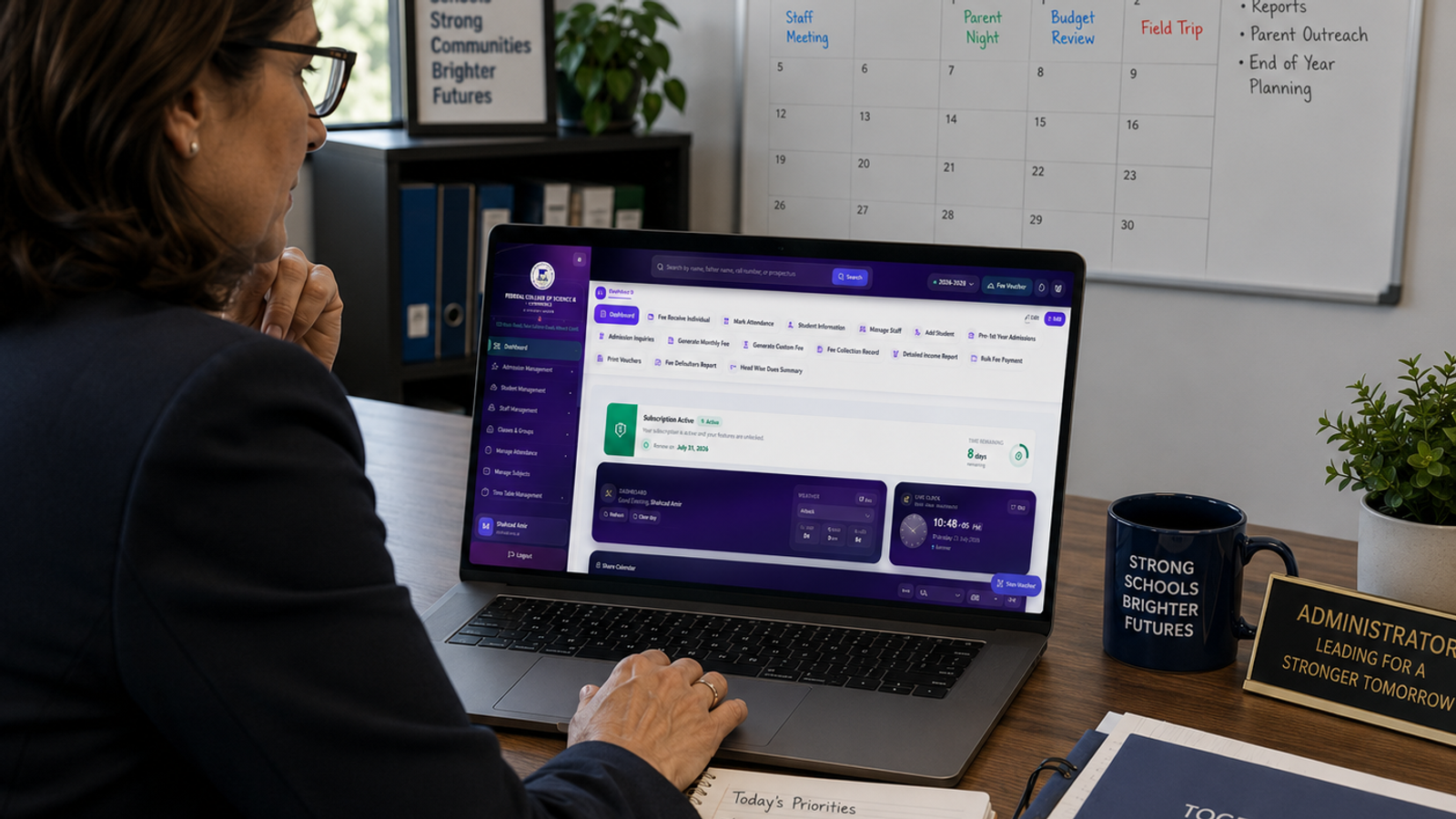
Best School Management Software in 2026: Features, Benefits, and Buyer's Guide
Wondering which school management software fits your needs in 2026? Explore core features, PM tools, pricing, and use cases in this complete buyer's guide.

Best School Management Software in 2026 (Complete Guide)
Introduction
Choosing school management software used to mean picking one system and hoping it covered everything. In 2026, the market looks different. Schools range from small music academies to large K-12 districts and medical schools.
Each one has complex curriculum needs. Each school needs software that fits its needs.
This guide explains what top school management software looks like today. It shows how it differs by school type. It also covers what to check before you commit.
For a side-by-side look at specific vendors, this full comparison of the best school management software is a good next step. Once you know which features matter most, it will help you choose.
Why It Matters
Every school runs on the same basic building blocks: enrollment, attendance, communication, and finances. But institutions manage those blocks in distinctly different ways depending on their type.
A general K-12 school might care most about attendance and report cards. A performing arts academy might care more about scheduling private lessons. A medical school might need detailed curriculum tracking tied to accreditation requirements. Picking software that's actually built for your situation, rather than a generic tool stretched to fit, saves time and prevents workarounds down the line.
Key Features to Look For
Enrollment and student records
This is the foundation everything else builds on.
Attendance tracking
Automated attendance saves teachers time and gives administrators a clear view of patterns like chronic absences. If you want a deeper look at how this works day to day, this guide on digital attendance covers the practical side well.
Fee and finance management
Manual fee tracking is one of the biggest time drains for school staff. Look for built-in invoicing, online payments, and automated reminders. For more detail on what a strong setup looks like, this piece on fee management breaks down the essentials.
Communication tools
Parents expect quick, reliable updates. A built-in messaging system and parent portal cuts down on phone calls and missed notices.
Cloud accessibility
Cloud-based systems let staff, teachers, and parents log in from anywhere, which matters more each year as hybrid schedules and multi-campus schools become common.
Specialized School Management Software by Use Case
Not every school needs the same set of tools. Here's how the software landscape splits by use case.
School event management software
Schools run more events than people realize: open houses, sports days, parent-teacher conferences, fundraisers, and graduation ceremonies. School event management software helps coordinate registration, ticketing, volunteer scheduling, and reminders for these events, instead of relying on spreadsheets and email chains that are easy to lose track of.
Music school management software
Music schools and academies have needs that general K-12 platforms often miss, like scheduling one-on-one lessons, managing recital programs, and tracking instrument rentals. Music school management software typically includes flexible scheduling tools built specifically for individual and small-group lessons rather than standard classroom periods.
Curriculum management software for medical schools in the United States
Medical education runs on strict accreditation requirements, so curriculum management software for medical schools needs to map courses directly to competency standards and track clinical rotations. This is a much more specialized category than typical K-12 tools, since it has to support detailed reporting for accrediting bodies.
Facilities management software for schools
Beyond academics, schools have buildings, equipment, and maintenance requests to track. Facilities management software for schools helps administrators log work orders, schedule preventive maintenance, and manage room bookings, which matters especially for larger campuses juggling multiple buildings.
Benefits of Using School Management Software
Saving administrative time tops the list. Automating attendance, fee reminders, and event registration frees staff for higher-value work.
Reducing errors is another major benefit. Centralized data means fewer duplicate records and fewer mismatched entries across departments.
Better parent engagement follows naturally when families get real-time updates instead of waiting for a printed newsletter.
Stronger academic tracking is possible too, since teachers and administrators can spot struggling students earlier when grades and attendance sit in one connected system.
Pros and Cons
Cloud-based platforms offer flexibility and remote access. But they have ongoing subscription costs and rely on stable internet.
On-premise systems offer more control over data. However, they often need dedicated IT support. This can be hard for smaller schools.
All-in-one systems simplify vendor management since everything runs through one login. The tradeoff is that switching providers later takes more planning, since data across multiple modules has to migrate together.
Specialized tools, like music school management software or curriculum management software for medical schools, fit niche needs precisely but may require separate integration work if your school also needs general K-12 features.
Best Use Cases
Small private schools do best with lightweight, cloud-based systems. These systems cover admissions, attendance, and communication. They also avoid a steep setup process.
Performing arts and music academies benefit most from platforms that focus on lesson scheduling and recital management. Standard class-period tools are less useful for them.
Medical and health science schools need software that ties directly into curriculum mapping and accreditation reporting, not a general-purpose K-12 tool.
Large campuses with multiple buildings benefit from adding facilities management features on top of academic tools, so maintenance and room bookings don't live in a separate, disconnected system.
Project Management Tools Inside Modern School Management Software
Many school leaders don't realize that school management software now doubles as a lightweight project management tool for staff. Use one system for everything.
Coordinate a campus renovation. Plan a multi-week event. Roll out a new curriculum.
A purpose-built system for tracking projects in the same platform beats juggling a separate app.
Core features to check include drag-and-drop scheduling.
This lets staff rearrange project timelines without digging through menus.
Also look for AI-powered suggestions that flag scheduling conflicts before they happen. A solid PM software module lets each team member see tasks, deadlines, and project data in one dashboard. It serves as a single source of truth, not scattered spreadsheets.
For schools running multiple projects at once, such as a facilities upgrade alongside a new enrollment campaign, resource planning tools help administrators see where staff time is going and whether time spent on one project is pulling focus from another. Visual tools like Gantt charts help track project timelines quickly.
A mobile app keeps updates easy to access for staff who work away from desks.
These essential features turn a basic pm tool add-on into something genuinely useful for school operations, not just an academic records system.
Tips for Choosing the Right System
Start with your school's actual pain point. If event planning feels chaotic, focus on strong event management features. Don’t let rarely used tools distract you.
Involve staff early. Teachers, front-office staff, and department heads should weigh in before the final decision. Day-to-day usability matters more than a polished sales demo.
Check whether the curriculum covers your needs. If you work on accreditation reporting, check whether the system supports it.
This is often part of medical education.
Make sure the system supports it directly. Avoid manual workarounds.
Ask about integration with a learning management system. Academic tracking and course delivery work best together. This list of top LMS options is worth reading. It can help if you have not chosen one yet.
Request a trial period. Testing the system with one department first can reveal usability issues before a full rollout.
Frequently Asked Questions
Is there a free school management system?
Some providers offer free plans for **tiny** schools or limited features. Most full platforms need a paid subscription. This applies once you need attendance, fee management, and communication tools together.
How much does a school management system cost?
Pricing varies by school size and features, often structured as a flat monthly fee or a per-student rate. Comparing a few vendors directly is worthwhile, since pricing models differ quite a bit.
Can a school management system work without internet?
Most modern platforms are cloud-based and need an internet connection. Some offer limited offline features for tasks like attendance. They sync once the connection returns. On-premise systems can run without internet but require more local IT infrastructure.
How long does implementation take?
Timelines vary by data migration needs. Most schools can expect a few weeks to a few months. This is common when moving from paper records or an older system.
Which countries use school management systems most widely?
Adoption is strong in the United States, the United Kingdom, India, the UAE, and Australia. Public and private institutions have moved toward digital administration over the past decade.
What is a school management system used for?
It centralizes core operations like admissions, attendance, grading, fee collection, and communication into a single platform, reducing manual paperwork across departments.
Do specialized platforms cost more than general K-12 software? Specialized tools, like curriculum management software for medical schools, often cost more. This is **because** of the many features needed for compliance and reporting.
Can school management software integrate with other tools?
Many platforms integrate with Google Workspace, Microsoft 365, and payment gateways. Still, confirm the exact integrations before you sign a contract.
Conclusion
The right school management software depends less on finding the top-rated platform. It depends more on matching features to your school’s daily needs. A music academy, a medical school, and a large K-12 district all need different things from their systems. Even so, they are often grouped in the same product category.
If you are just starting your search, read a full breakdown of a school management system first. Then narrow your options. Request trials from two or three vendors that fit your needs.
Key Takeaways
- School management software isn't one-size-fits-all. Event management, music scheduling, medical curriculum tracking, and facilities management each call for different feature depth.
- Cloud-based systems offer flexibility and remote access. On-premise systems offer more control, but they often require more IT work.
- Start with your school's biggest pain point, involve staff in the decision, and test a trial before rolling the system out school-wide.
Found this useful?
Try our free tools — calculate your GPA, check college GPA requirements, or generate an attendance sheet in seconds.