SIS vs ERP vs LMS: What Your School Actually Needs
Confused between SIS, ERP, and LMS? This guide breaks down what each system actually does and helps you figure out which one your school or college needs first.
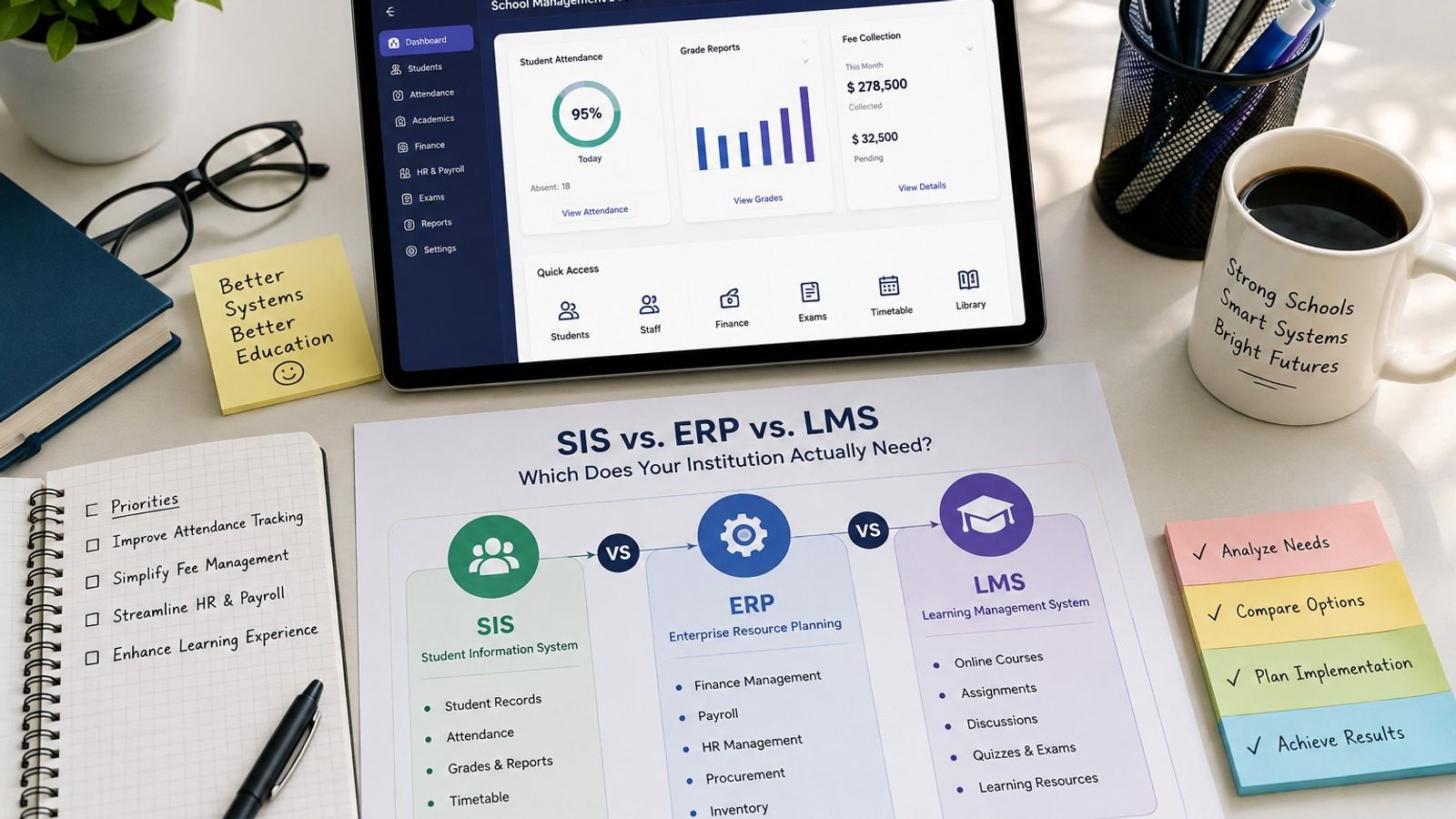
SIS vs ERP vs LMS: What Your School Actually Needs?
The Short Answer First
An SIS manages student records and academics. An ERP manages the institution's business operations, like finance and HR. An LMS manages course content and online learning. Most institutions eventually need elements of all three, but rarely at the same time or in the same order.
If you're trying to determine which one to prioritize, the answer depends on where your current process is breaking down, not on which system sounds the most complete. The sections below break down each one so you can match it to your actual gap.
What a Student Information System (SIS) Actually Does
A student information system is the system of record for individual students. It covers enrollment, demographics, attendance, grades, scheduling, and often a parent or guardian portal for K-12 schools.
Think of the SIS as the answer to "who is this student, and how are they doing right now." It's usually the first system a school implements, since attendance and grading are daily, non-negotiable tasks that are painful to manage manually.
Colleges use a similar concept, though it's sometimes bundled into a broader system that also handles registration and transcripts across departments.
What a School ERP Actually Does
An ERP, short for enterprise resource planning, extends into the operational side of running the institution. This includes finance, payroll, HR, procurement, and in some cases facilities and inventory tracking.
Unlike an SIS, an ERP doesn’t focus on individual students at all. It focuses on running the institution like an organization. This matters more as staff numbers, budget complexity, and vendor relationships grow.
Smaller schools sometimes get by with lightweight financial tools instead of a full ERP. Larger institutions with dedicated finance and HR departments usually reach a point where spreadsheets can't keep up.
What a Learning Management System (LMS) Actually Does
An LMS handles the actual teaching and learning experience. Teachers post materials, students submit assignments, discussions happen outside class time, and grading of coursework often lives here rather than in the SIS.
Colleges with significant online or hybrid course offerings tend to treat the LMS as essential infrastructure, not an optional add-on. K-12 schools use it too, often for homework, resource sharing, and communication around specific classes.
The key distinction from an SIS: the LMS is about how learning happens, while the SIS is about tracking who the student is and their overall record.
Where the Three Systems Overlap
Many modern platforms marketed as school management software bundle SIS, light ERP functions, and basic LMS features into one product. This blending partly explains why people use the three terms interchangeably, even though they solve different problems.
That's not automatically a bad thing, but it means the product label alone won't tell you what you're actually getting. Two platforms both calling themselves school management software can have very different depth in each category.
All-in-One Platforms vs. Best-of-Breed Tools
An all-in-one platform reduces the number of vendors you manage and usually means better data flow between attendance, grading, and billing. The tradeoff is that one category, often the ERP or LMS side, may be noticeably weaker than a dedicated standalone tool.
Best-of-breed setups, where you choose a separate SIS, ERP, and LMS, give you stronger functionality in each area. The tradeoff is more integration work, unless the systems support data standards like Ed-Fi or OneRoster that let them share information without manual re-entry.
How to Decide Which One Your Institution Needs
Start by identifying where your current process is causing the most pain, not which system looks the most impressive in a demo.
Signs You Need an SIS First
Attendance is still tracked on paper or in disconnected spreadsheets. Gradebooks vary by teacher instead of following one format. Parent communication is inconsistent or relies on phone calls. These are all signs the SIS should be your starting point.
Signs You Need an ERP
Finance and HR are managed through spreadsheets that don't talk to each other. Budget tracking across departments takes days instead of minutes. Payroll or procurement approval is a manual, email-based process. These point toward an ERP gap.
Signs You Need an LMS
Course materials are scattered across email, shared drives, and printed handouts. Online or hybrid classes lack a consistent place for assignments and discussion. Grading coursework happens outside any centralized system. These point toward prioritizing an LMS.
Common Mistakes When Choosing Between Them
Buying based on the product label instead of the actual feature list is the most common mistake. A platform calling itself an "all-in-one school management system" doesn't guarantee strong ERP or LMS functionality just because the marketing implies it.
Another common mistake is buying more system than the institution currently needs. A small private school doesn't need enterprise-level ERP features designed for a multi-campus university, and paying for that complexity adds cost without adding value.
Skipping integration standards is a third mistake. If you choose separate systems for SIS, ERP, and LMS, confirm they support data standards like Ed-Fi or OneRoster before signing, or staff will end up manually re-entering the same data across platforms.
Frequently Asked Questions
What is the main difference between SIS, ERP, and LMS?
An SIS manages student records and academics, an ERP manages institutional business operations like finance and HR, and an LMS manages course content and online learning delivery.
Does my school need an ERP?
Only if manual finance, HR, or procurement processes are creating real bottlenecks. Many smaller schools operate fine with basic financial tools until administrative complexity grows.
Can one platform replace SIS, ERP, and LMS?
Yes, many school management software platforms combine all three, though the depth of each module varies significantly between vendors, so feature-by-feature comparison matters more than the marketing label.
Is an LMS only for online courses?
No. Many in-person K-12 schools and colleges use an LMS for assignments, grading, and communication even in traditional classroom settings.
Should colleges prioritize ERP or LMS first?
It depends on the institution's biggest current gap. Colleges managing complex finance and HR operations may prioritize ERP, while those expanding online programs may prioritize LMS first.
Final Recommendation
There's no universal answer to SIS versus ERP versus LMS, because the right starting point depends entirely on where your institution's current process is breaking down. List your top three administrative headaches before evaluating any vendor, then match each one to the system category built to solve it.
For institutions still early in this process, starting with a strong SIS is the most common path, since attendance and grading tend to be the most immediate daily pain points. From there, ERP and LMS needs usually become clearer as the institution grows.
Found this useful?
Try our free tools — calculate your GPA, check college GPA requirements, or generate an attendance sheet in seconds.